

Auto Biss Plugin For Enigma2 ...
- AutoBiss E2 Version 1.9
- How does the program work?
Automatic detection — Continuously monitors channels and detects BISS encryption (CAID 0x2600) immediately upon setup.
Quick recording — Records a short sample of the broadcast (one second) in the background without affecting viewing.
VPS decryption — Sends the sample to a dedicated VPS server to extract the CW key with high accuracy.
Automatic injection — Writes the key directly to the SoftCam.Key file and immediately reloads the softcam.
Cache— Stores detected keys to avoid re-searching.
Key Features
- Permanent back-end service It works automatically as soon as the device is turned on; no intervention is required.
- Cloud VPS A dedicated server for extracting high-precision CW keys
- Local backup If the VPS cannot be accessed, continue with the local tsdec tool.
- Automatic update It checks for new versions and updates itself automatically.
- Professional interface An interactive screen displays SID, VPID, APID and CW key in real time.
- Device registration A secure authentication system to activate VPS access privileges
- Supported Devices:
Works with all Enigma2 devices including: VU+ Solo / Duo / Uno / Zero / LastDreambox DM900 / DM920 / DM7080Gigablue UHD Quad / TrioZgemma H2H / H9S / H9 Comboand all devices running OpenATV / OpenPLi / OpenViX
How to use
Tune in to any BISS-encrypted channel
Press the blue button to open the add-ons menu and select AutoBiss E2
The main screen will display current channel information.
Wait a few seconds — it will automatically search for and display the key.
Red — Exit
Green — Software Update
Blue — Program Information
OK — Force a re-search for the key immediately
- Solving common problems
The problem the solution
The program does not appear in the list. Verify the installation path and restart the interface.
"Key Not Found" despite the softcam working Make sure you have an internet connection and that your device is registered with a VPS.
VPS Maintenance Mode Wait for the connection to be restored or use local CWL
The recorded file size is zero Check that the softcam decrypts the channel during live viewing.
AutoBiss E2 — Real-time BISS key finder & softcam injector for Enigma2
https://download943.mediafire.com/vzbrj ... .9_all.zip
- enigma2-plugin-extensions-autobiss.1.9_all.
https://sbupload.com/5d0c26d950d5a929/e ... .9_all.zip
- enigma2-plugin-extensions-autobiss_1.9.all.deb
https://sbupload.com/dc0322083177e3e0/e ... .9_all.deb
- USB drive or HDD must be installed on the device and your device must be capable of recording TS files
Auto Biss Plugin For Enigma2 ...
-
sanjay kumar

- Posts: 35917
- Joined: Thu Oct 22, 2020 11:26 am
- Location: india
- Has thanked: 23849 times
- Been thanked: 892 times
Auto Biss Plugin For Enigma2 ...
- No Card sharing discussion allowed on this forum.
- Note: Viewing Pay TV without a valid subscription is illegal.
- All the files available here are kept for experimental and educational purpose only.
- Note: Viewing Pay TV without a valid subscription is illegal.
- All the files available here are kept for experimental and educational purpose only.
-
sanjay kumar
- Posts: 35917
- Joined: Thu Oct 22, 2020 11:26 am
- Location: india
- Has thanked: 23849 times
- Been thanked: 892 times
Re: Auto Biss Plugin For Enigma2 ...
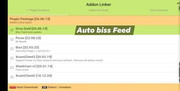
New icon Orca Gold Auto biss Feed Plugin..13/06/2026
- V4.40
https://starswdw.com/index.php/componen ... ad?Itemid=
- V4.40
Code: Select all
- A new version of Orca Gold is now available, featuring automatic feed playback (Auto Biss Feed).
- Delete the old version and install the new one.
- Go to the Plugins menu, disable Orca using the green button, then delete it using the yellow button. Finally, press the blue button and install the new version (V4.40).
- The plugin is now complete with feed support only. Please try it.
https://starswdw.com/index.php/componen ... ad?Itemid=
- No Card sharing discussion allowed on this forum.
- Note: Viewing Pay TV without a valid subscription is illegal.
- All the files available here are kept for experimental and educational purpose only.
- Note: Viewing Pay TV without a valid subscription is illegal.
- All the files available here are kept for experimental and educational purpose only.