-Take the firmware hellobox8_20190617.bin as an example below
-Put the firmware hellobox8_20190617.bin into the USB root directory, and insert the USB to the box
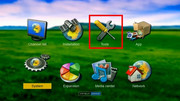
-Go to Mainmenu -> tools -> USB upgrade menu
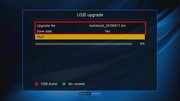
-Select the firmware hellobox8_20190617.bin in Upgrade file field
-Select "Yes" option in Save data field if you want to save the programs/user settings/accounts, or "No" if you want a clean new firmware
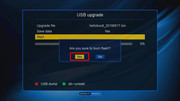
-Press OK on Start to start the upgrading process
-Wait for the process to complete, it will reboot automatically..